

Description
When your Campervan or Motorhome – or your River Cruiser or Canal Boat for that matter – is parked (or moored up 😉 ), it is a good idea to have a way to keep the Starter Battery maintained with a reasonable charge.
Modern vehicles especially can have quite a drain on the Starter Battery and a week or two of sitting around can have consequences for the health of your Starter Battery. Leaving the van plugged in on the drive way or your boat on a Marina can be an option of course, but if you don’t have a driveway, or are moored on a towpath or bank that is likely not an option and does rely on you having a setup that charges the starter battery from your mains charger.
Solar is a great way to keep a charge going into the Leisure Battery, but rarely will do anything for the Starter Battery.
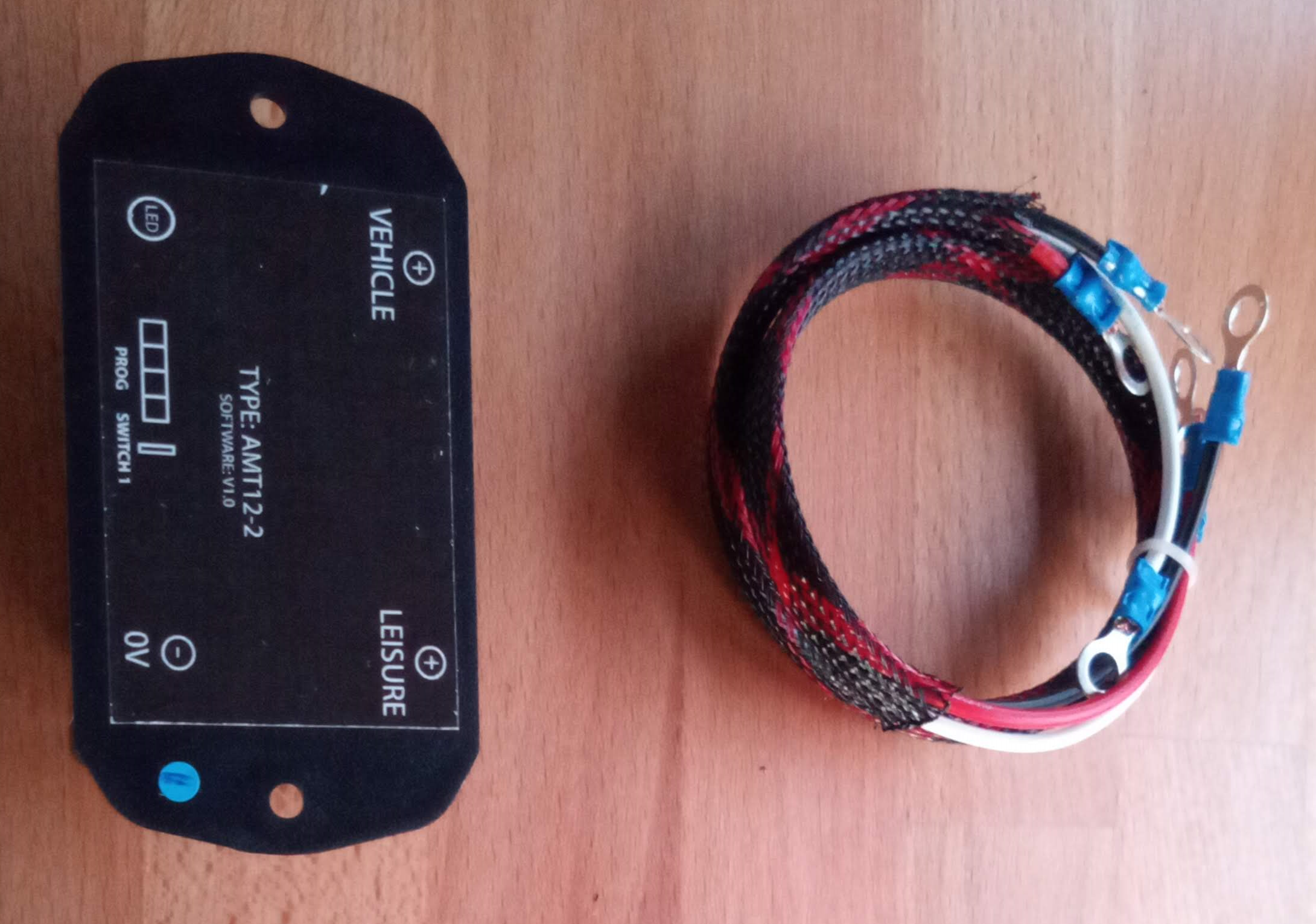
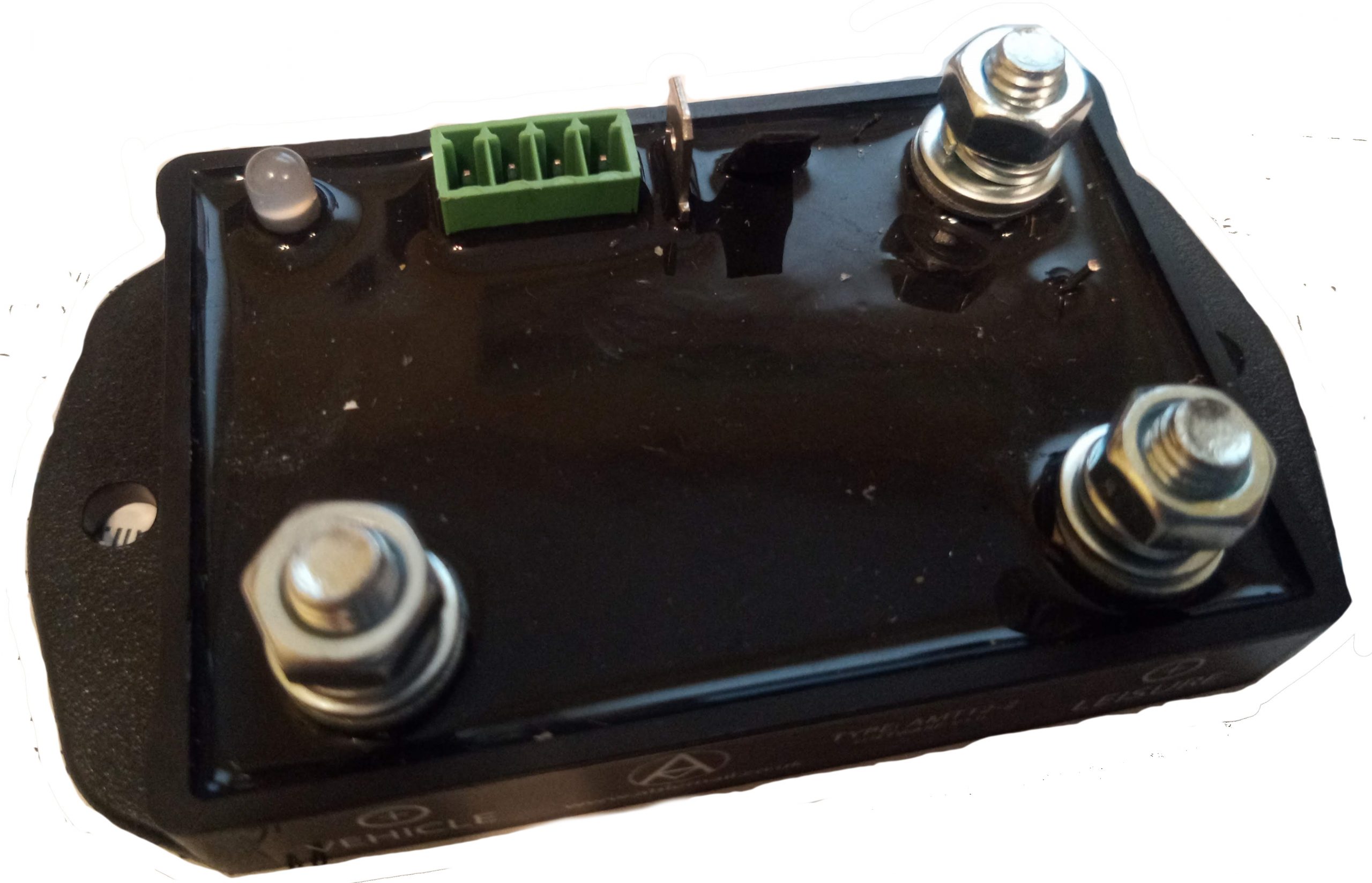
So what is the answer? The AMT-12! The First photo shows the connections, the Second notes what they are (there are also labels on the side of the device as well)


Note that this product, like many others we sell, are part of a continuous improvement to deliver better flexibility and features. In the case of the AMT-12 as shown above, the latest edition includes the capability to connect a Bluetooth Controller/Monitor to it via the 4-pin data connector, 8 selectable programmes (initially this was limited to 4, which of course is still 3 more than the alternatives from other manufacturers!), and the connection method has changed from the M6 studs to spade tags on the latest model shown above
The AMT-12 from Wildebus also comes complete with cabling to suit. Rings/Spades for the AMT-12 side (to suit the version supplied) and rings on the supply side to connect to a VSR or B2B typically, but can be easily replaced.

The Ablemail AMT-12 Battery Maintainer is an microprocessor-controlled intelligent Battery Maintainer, compatible with both Lead Acid Batteries and Lithium Batteries, and with vehicles with either Standard Alternators or Smart Alternators.
This unit will trickle charge the Starter Battery at a pulsed 3A level whilst the Leisure Battery is at a predefined voltage level (dependant on the setting selected on the AMT-12) for optimum maintenance, and if the Starter Battery drops to a a lower preset level, the Maintainer kicks in again automatically to prevent damage to the battery.
We think it is essential to look after the Batteries in your vehicle or your boat, and this is why the AMT-12 Battery Maintainer can be an essential weapon in the arsenal of Battery Monitoring and Maintanance, complete with all cabling needed to add this kit to an existing B2B or split charge Relay system, so all you will need is basic tools.
For the Data sheet instructions, click here:
 AMT 12-2 Data Sheet
This Diagram shows how the AMT can be connected to any B2B when installed with the B2B Cabling Kit we provide:
AMT Installation Guideline
To Reprogramme the AMT to a different Setting, please use the following instructions:
Reprogramming the AMT12-2
If you need to reprogramme to a different setting, simply do the following on the AMT (in this exact sequence):
-
- Remove Cable from 0V Spade Terminal
- Connect Flylead to SW1 (terminal next to green plug)
- Reconnect Cable to 0V. The LED will then flash green a number of times to match the setting it is currently programmed to
- Within 40 seconds, remove and then reconnect the flylead on SW1. The LED will then start to count through the available programs i.e. 1 flash, pause, 2 flashes, pause, 3 flashes, pause, etc.
- When the LED has flashed the same number of times as the setting you want (e.g. You want setting 5, and it did 5 flashes), remove the Flylead from SW1 again, and then reconnect.
- The LED will then flash rapidly a number of times to show it has reprogrammed.
- Remove the Flylead from SW1 once more. The LED will flash to confirm it is programmed to the setting selected, the number of flashes corresponding again to the setting selected.
- If satisfied, disconnect and reconnect the 0V Connection and your AMT is ready for use.
- To select another setting, start from step 1 again.
If when you connect the Flylead to SW1 the LED turns a constant Red, it will almost certainly be because you forgot to carry out step 1 first. The unit must power-up with SW1 connected in order to enter programming mode.
We also have a Switch Kit that allows a simple override of the programmed setup to run the AMT permenantly or to disable the AMT if on occasion either of those are needed. This is a very handy feature that can be added in at low cost
Reviews
There are no reviews yet.